
Appearance
Firewall Settings
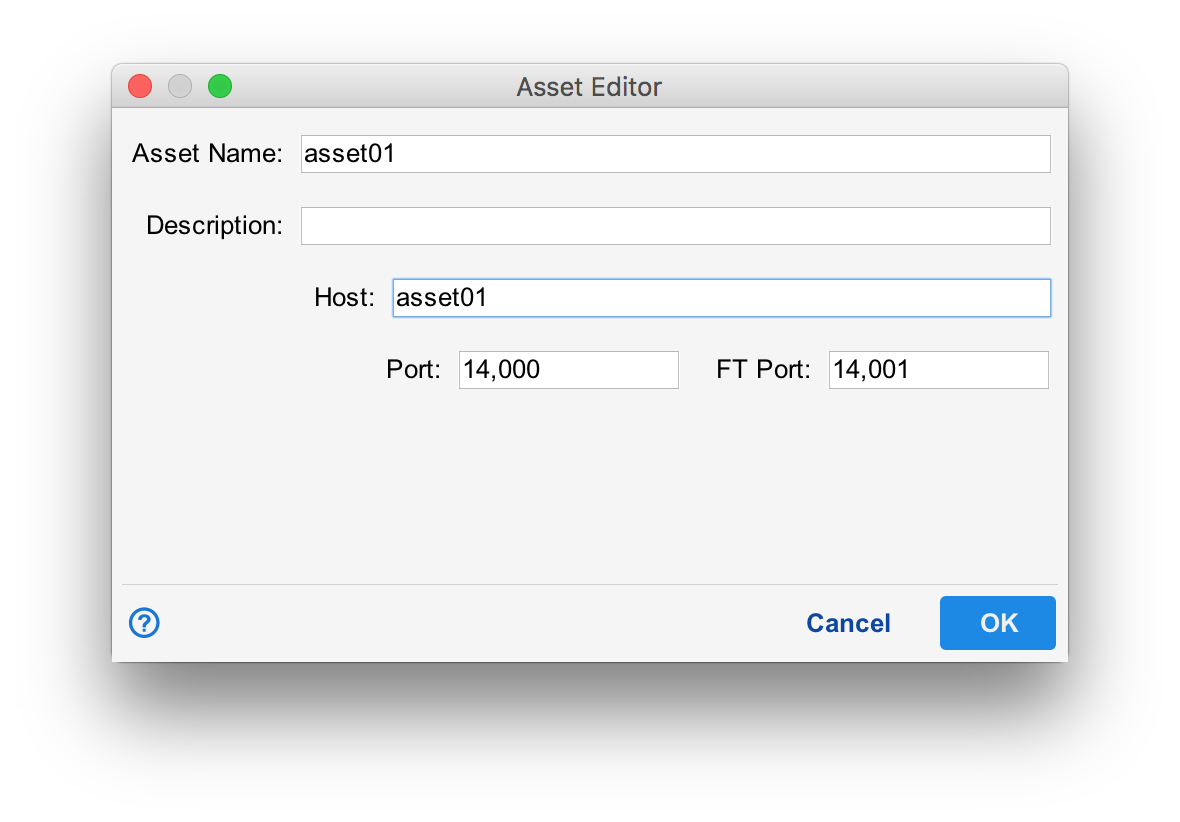
By default, Situate uses ports 14000 and 14001. XonaSoftware's proprietary message bus passes event-based traffic over port 14000, while file transfer and other stream-oriented data is passed over port 14001.
For UNIX / Linux, the ports are configured in the configuration file /etc/sitaute.conf. The variable PORT is the event port and FT_PORT is the stream port. For windows, these ports are found in the registry as values "port" and "ftport" in the key HKEY_LOCAL_MACHINE\SOFTWARE\Situate\SituateAgent.
When an agent is configured, its ports are part of the asset configuration.
Using Ports
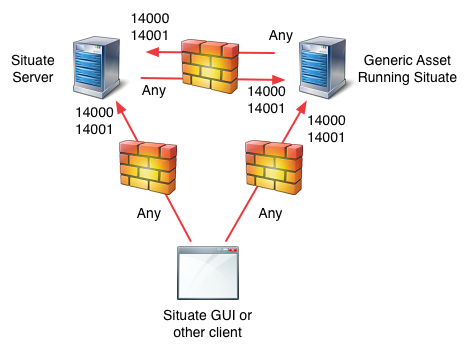
All agents, including the server listen on their configured known ports. The Situate server connects to all configured assets using an ephemeral port to connect to the agent's well-known port.
The UI and Other Clients
The UI and other clients use ephemeral ports to connect to the server on its well-known ports.
When the UI or other clients need information from a particular agent that is not the server, they connect to that agent directly via an ephemeral port.