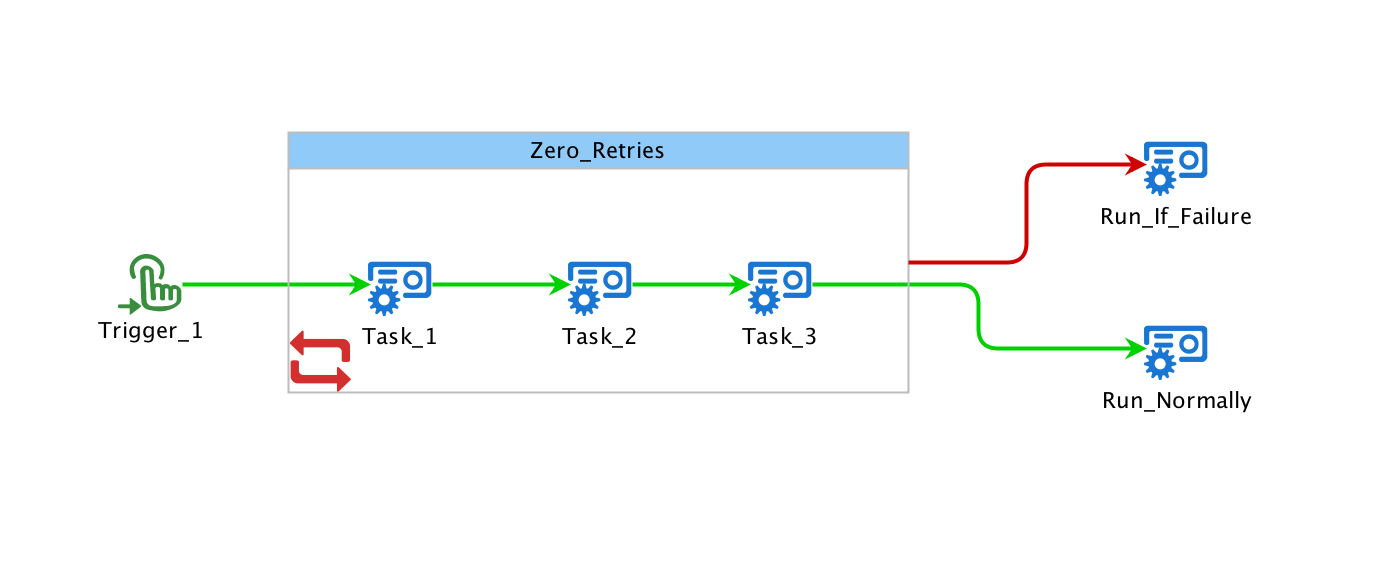
Appearance
Retry Catch
The retry/catch group implements retries on a set of contained tasks.
Specifying Retries
The retry/catch is configured simply specifying the number of retries and a delay. The delay cause some time to pass between retries and may be configured as hours:minutes:seconds or minutes:seconds.
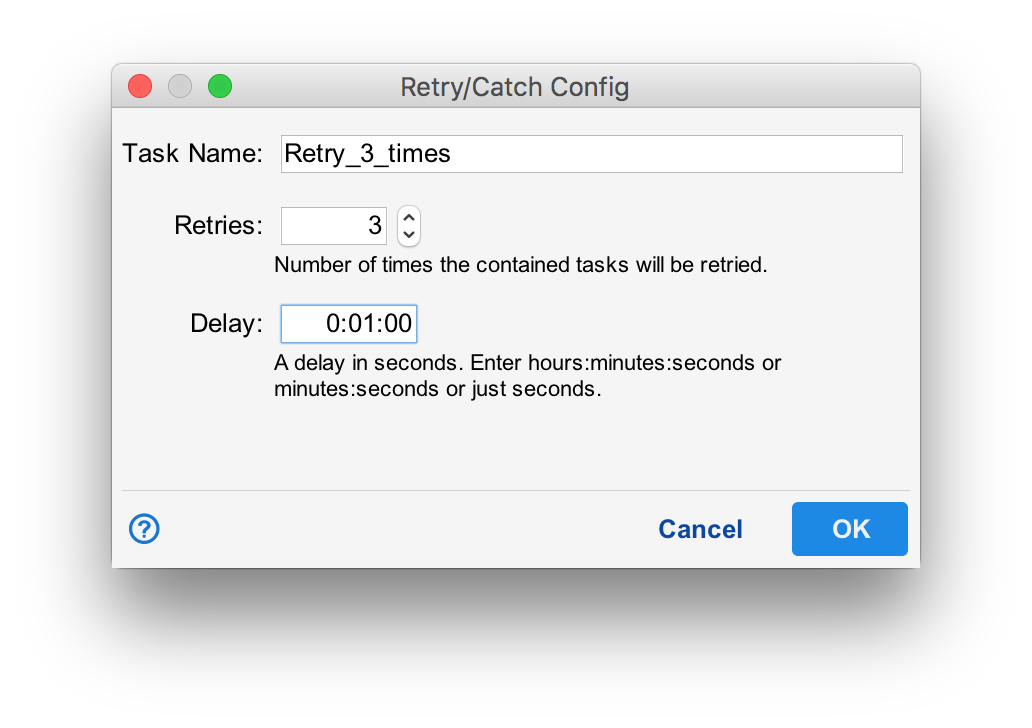
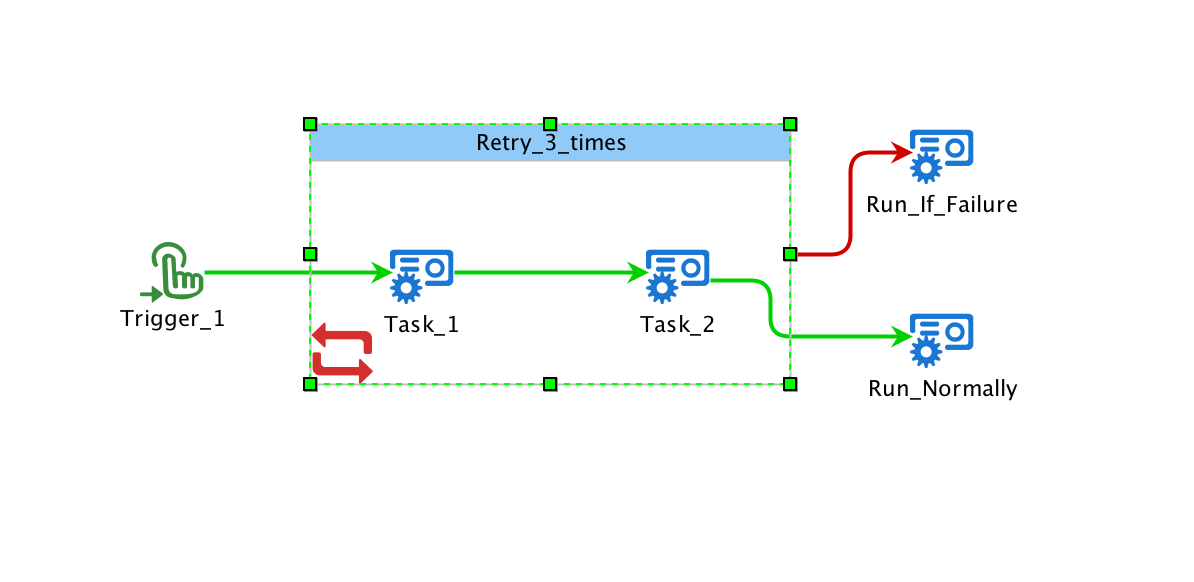
In the example above, if either "Task_1" or "Task_2" fail, the workflow restarts back at "Task_1". This can happen up to three times ("Task_1" can be executed at most 4 times. An initial time plus 3 retries).
If there is a failure after all retries are exhausted, the group will fail. Any satisfied edge from the group may be taken to recover from the failure. In the example above, "Run_if_Falure" will be executed if "Retry_3_Times" failes.
Recovering from Failure
The retry/catch group also allows an elegant to recover from failure. Consider the following workflow:
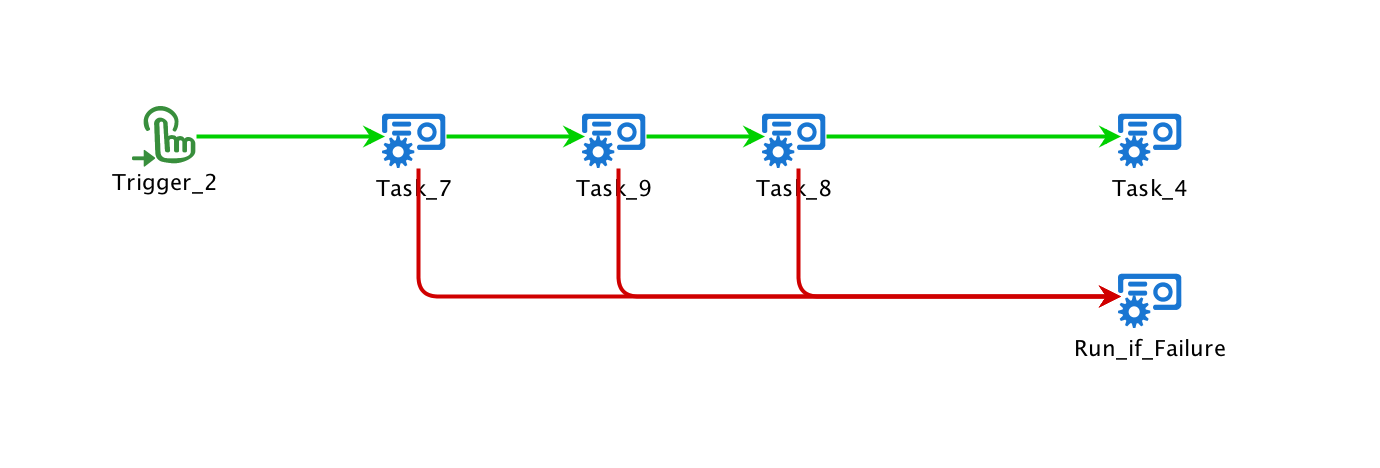
Rather than creating an "on failure" edge from each task, consider wrapping the tasks in a retry group with the number of retries set to zero. This will create a much cleaner workflow especially as the number of tasks increases. The workflow below is equivalent to the one above. .