
Appearance
Annotation Edges
It is possible to draw a line from an annotation shape to another workflow object such as a task or trigger. This is done in the same way you connect other objects, by hovering over the annotation shape until the green highlight is shown then draging the mouse to the target object. The direction of the drag sets the direction of the annotation edge's arrow.
Annotation edges become straight, dashed lines. The dashed line indicates that the line does not participate in the flow of the token in the workflow.
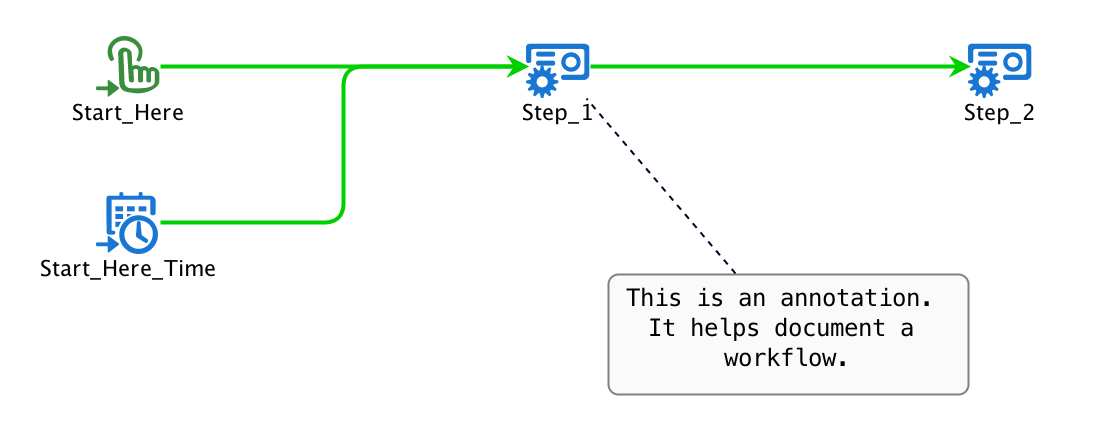
In this example, the box starting "This is an annotation" is a rectangle annotation shape. The dashed line is an annotation edge indicating that the annotation is talking about "Step_1".