
Appearance
Introduction
This document describes how to install, configure and manage Situate from a system administrator's perspective. We start by introducing some basic concepts that will help you understand how situate works.
Situate Architecture
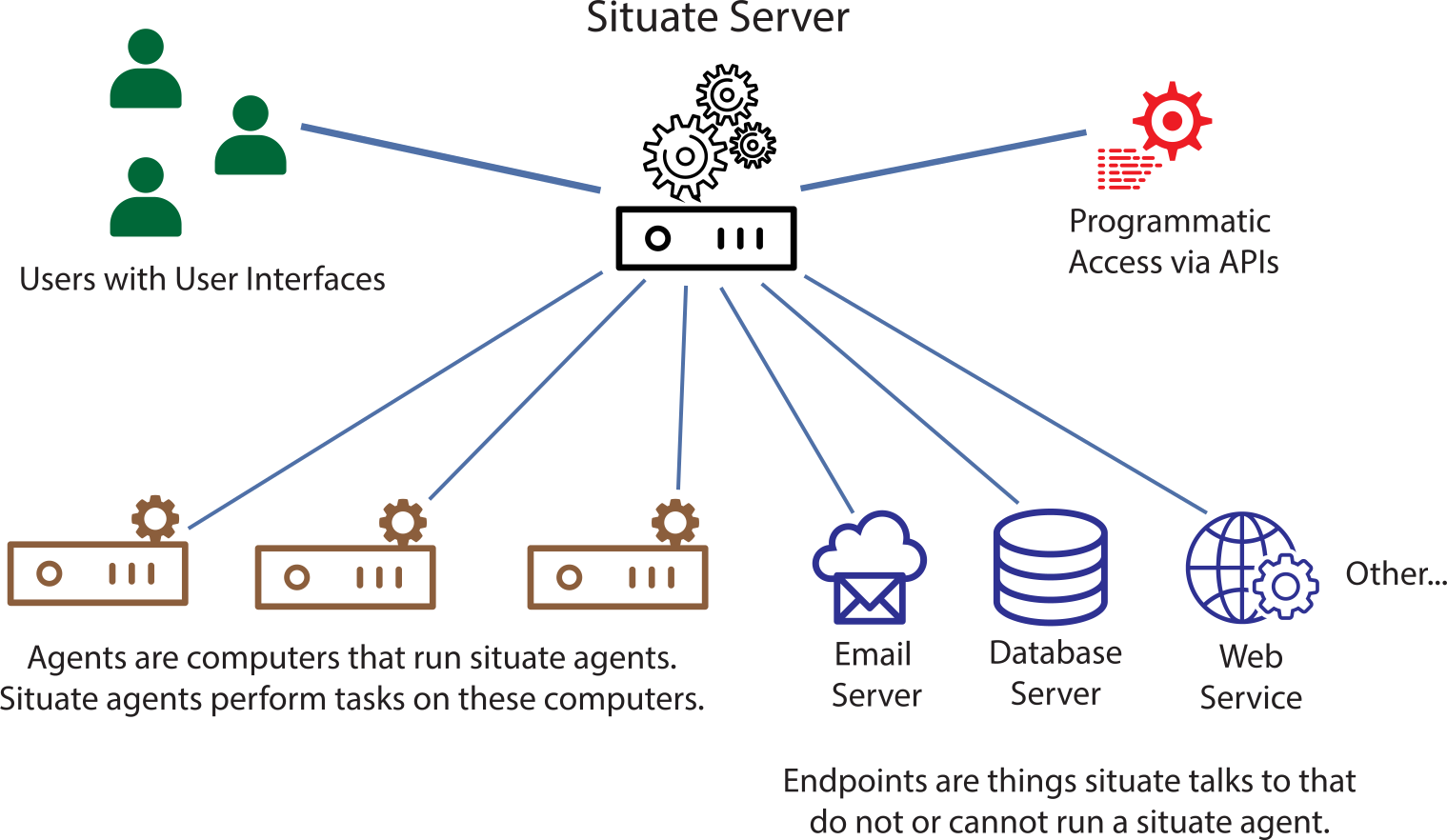
An instance of situate consists of ...
- A server hosted on premise or in the cloud.
- A number of computers running the Situate agent.
- Zero or more endpoints (things situate talks to that do not run agents).
- A number of users using the Situate UI.
- Possibly a number of programs or other entities that access situate via APIs or command-line tools.
The Agent
The agent is designed to be lightweight and conscious of its use of system resources. It is designed using a modular architecture that allows you to pick and choose which modules you want to run on any given computer.
Out-of-the-box, a certain set of agents is installed based on the kind of computer it is installed upon. Agents can be added or removed. Customers may write their own agents and deploy them as needed.
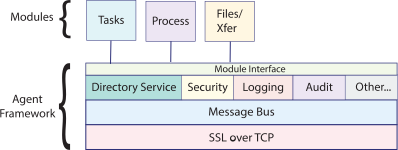
The agent framework provides messaging, directory services, security services, logging, auditing, lifecycle management of the agents and more.
Java Layer
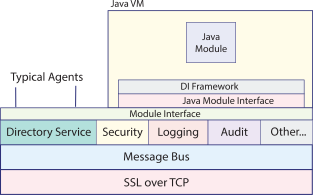
A module may be implemented in C/C++ or Java. While, C/C++ modules are small and efficient, more complex functionality is best delivered in Java. When Java is needed, the Java support package needs to be installed. This package installs the Java layer, which will instantiate a Java virtual machine and allow modules written in Java to be loaded and run inside the framework.
The Server
A Situate server is nothing more than an agent with several additional modules that implement the server components. When you install a server, you are simply installing and configuring a set of modules.
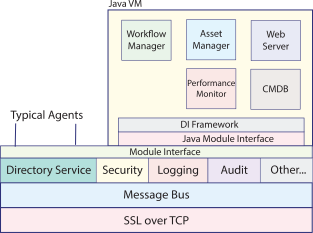
One such module is the workflow manager. This is the module that orchestrates everything.