
Appearance
Timeout Group
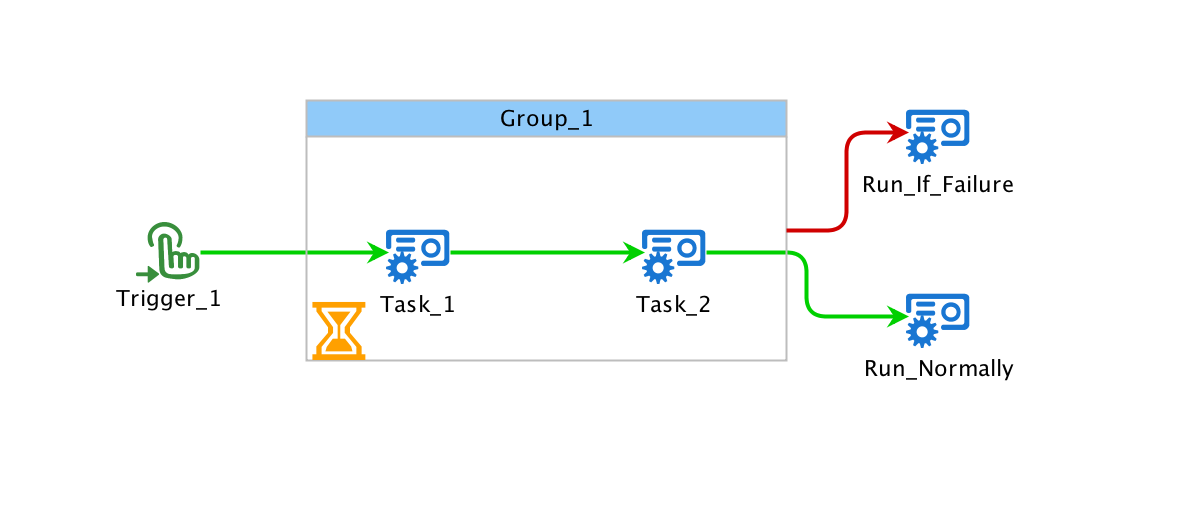
The timeout group imposes a time limit on the set of tasks it contains.
Hard Timeout
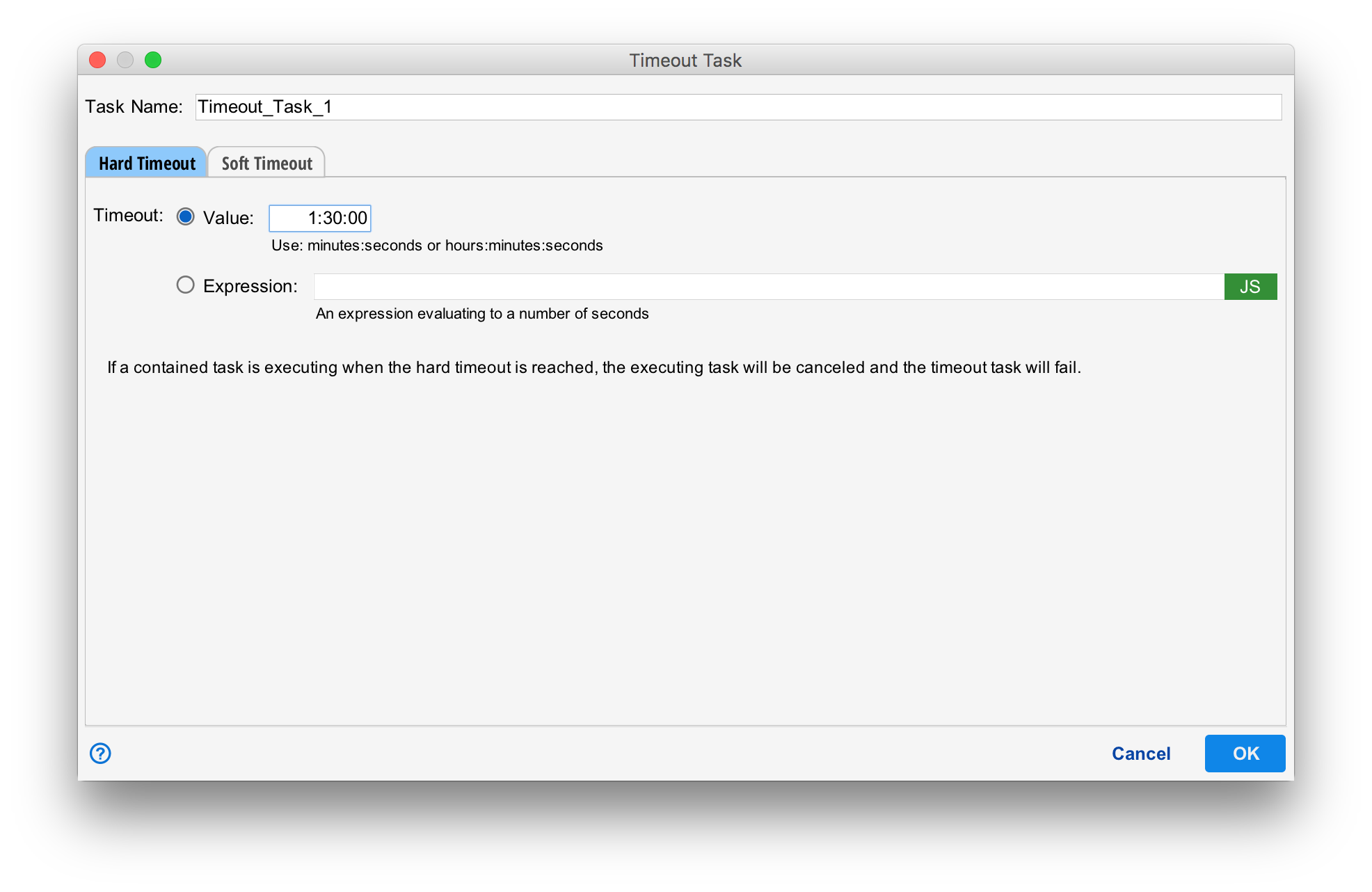
The timeout group begins executing when the first task within the group begins executing. If the hard timeout value is reached before the all the tasks within the group execute...
- The currently executing task is canceled.
- The group fails.
- If there is an edge that leaves the group task that is satisfied, execution continues along that edge.
- Otherwise, execution stops.
In the example above, if 1 hour and 30 minutes (1:30:00 seconds) expire before both tasks "Task_1" and "Task_2" complete, "Group_1" fails and execution continues at "Run_if_Failure". Otherwise, "Run Normally" is executed.
Timeout Values
The timeout task may be configured with a timeout value in hours:minutes:seconds or minutes:seconds format or a Javascript expression that must evaluates to a number of seconds.
Soft Timeout
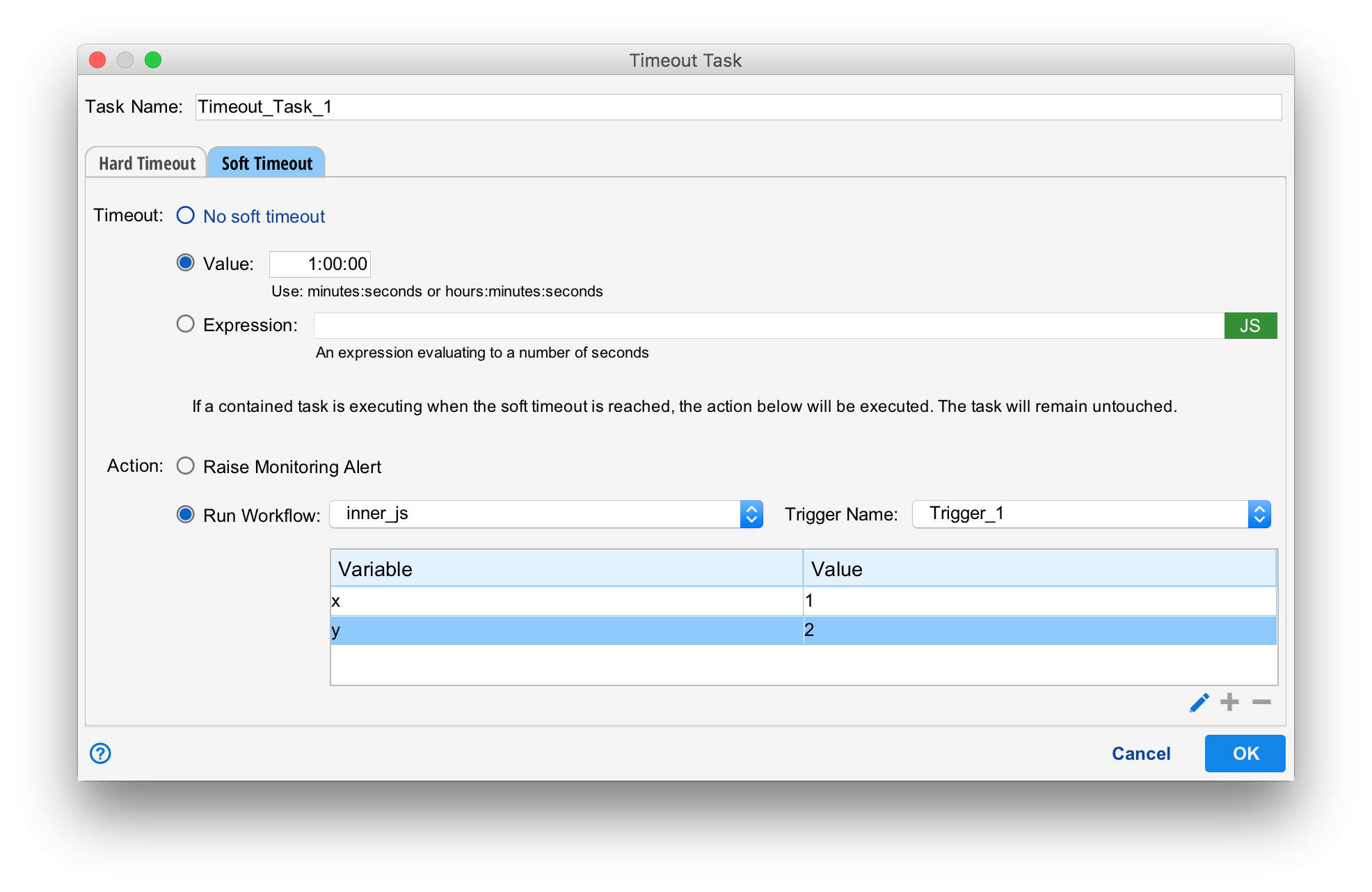
A soft timeout signals a warning and does not affect the execution of the tasks the group contains. The action may be:
- Raise Alert. Report an alert thorugh the monitoring system.
- Run Workflow. Runs the specified workflow, passing the variables specified to a new workflow. The workflow can be used to send email or perform some other kind of notification.
In the example above, a workflow will be run after one hour. The timeout can be specified either as a number of seconds or use a Javascript expression that evaluates to a number of seconds. No soft limit may also be specified.