
Appearance
File Ops
The File Operations task performs various functions on a file system.
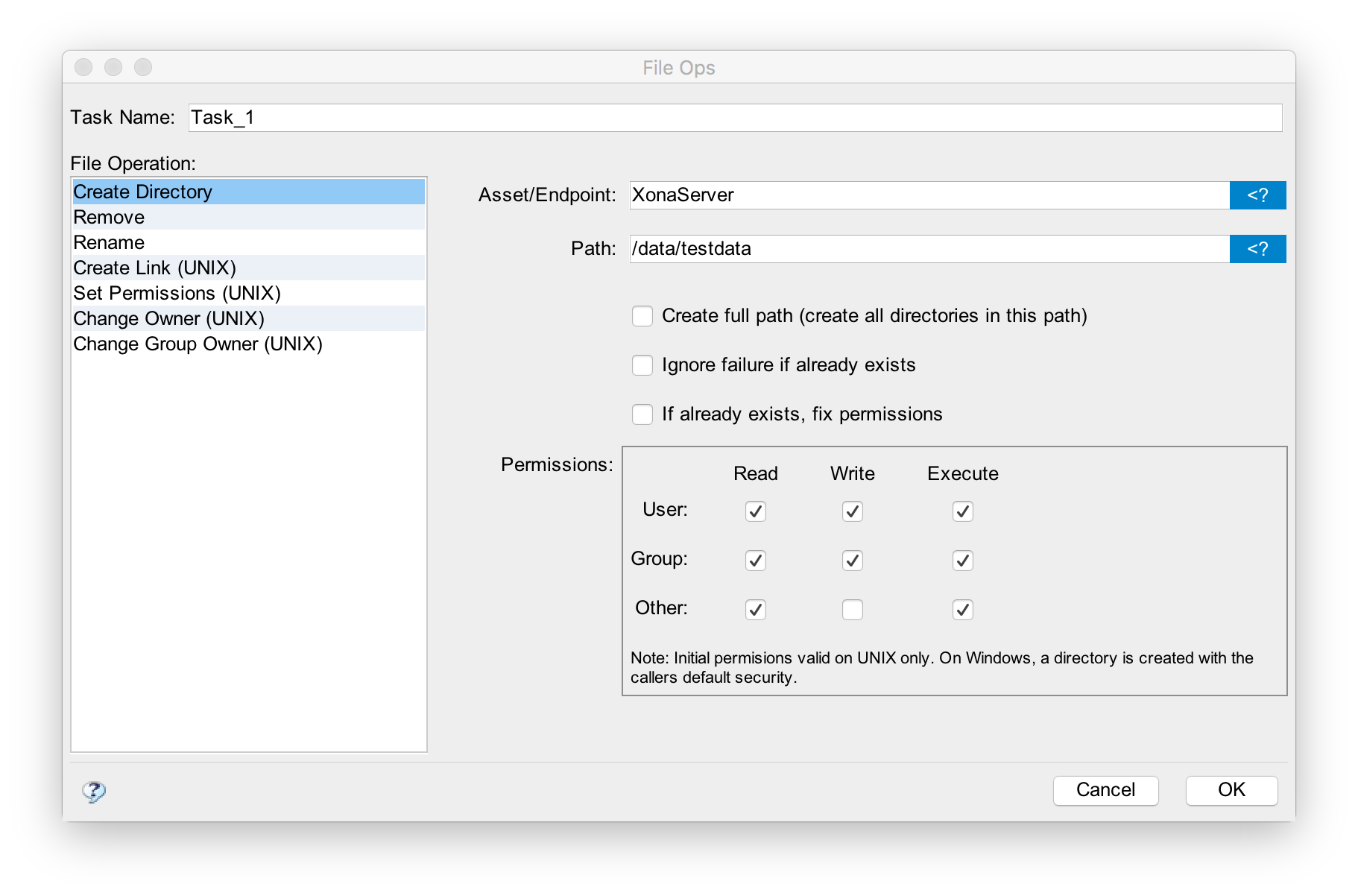
Asset/Endpoint
The Asset or Endpoint specifies the asset or endpoint upon which the task acts.
Path
path specifies the file or directory targeted by the operation.
File Operation
The file operation describes what is to be done. The remainder of this document describes each specific operation.
Create Directory
A directory identified by the path is created. If "create full path" is selected, any missing directories are created as well. If "ignore failure if already exists" is selected, then the task will succeed even when it cannot create the directory because it already exists.
An array of permissions is also shown. On Unix-based systems (such as Linux or OSX) these become the permissions of the new directory. If "if already exists, fix permissions", is selected, the permissions are applied even when the directory already exists.
The owner of the directory will be that of the workflow's executing user context (the user the workflow is running as).
Remove
The specified file or directory is removed. If "recursive" is selected and path is a directory, the files within that directory are also removed. This option has no affect if the target is a file.
If "ignore failure if already exists" is selected, the task will not fail if the file or directory does not exist (it may have already been removed).
Rename
path is renamed to the specified name.
Create Link
A link is created whos name will be path. The value specified in the "Link Target" will be come the target of the link (where it points to).
The Create Link operation is only supported on Unix-based operating systems.
Set Permissions
Set permissions changes the permissions on path to those specified.
The Set Permissions operation is only supported on Unix-based operating systems.
Change Owner
Changes the owner of the file indicated by path to the user specified. If "recursive" is selected and path is a directory, all files in that directory and any sub-directories will be changed as well. If "follow links" is selected, a link to a directory will be treated like a directory and decended into when "recursive" is also selected.
The Change Owner operation is only supported on Unix-based operating systems. The workflow must be running as the root user for this task to succeed.
Change Group
Changes the group owner of the file indicated by path to the user specified. If "recursive" is selected and path is a directory, all files in that directory and any sub-directories will be changed as well. If "follow links" is selected, a link to a directory will be treated like a directory and decended into when "recursive" is also selected.
The Change Group operation is only supported on Unix-based operating systems. The workflow must be running as root or file owner for this task to succeed.